Discover how state and local government agencies use Salesforce for 311, permitting, inspections, grants, case management, connected data, and more.
Every public interaction sets work in motion. A resident reports a problem. A business applies for a permit. An inspector documents a violation.
Whether that experience works depends on what happens next: Does the request reach the right team? Do employees have the information they need? Can the agency track the work through resolution?
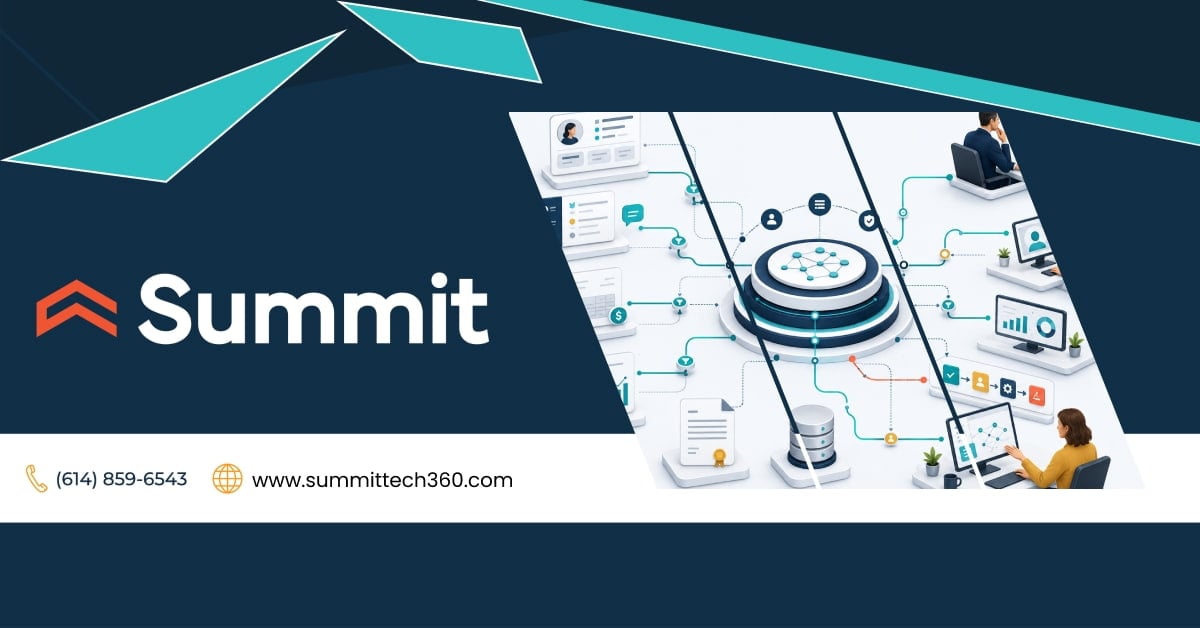
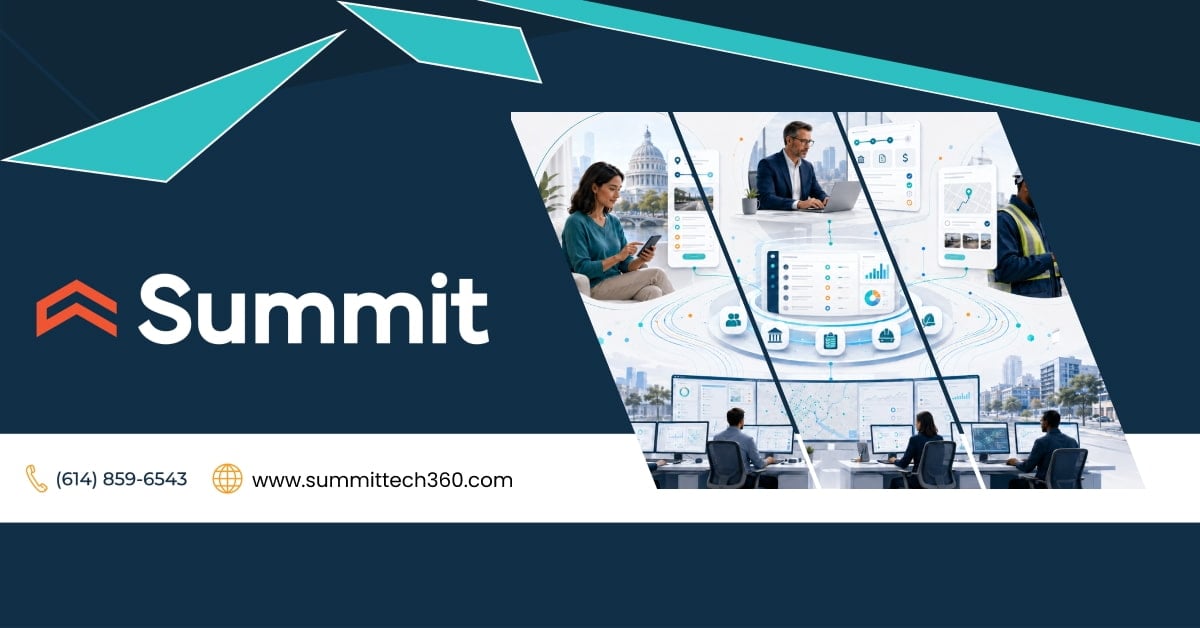
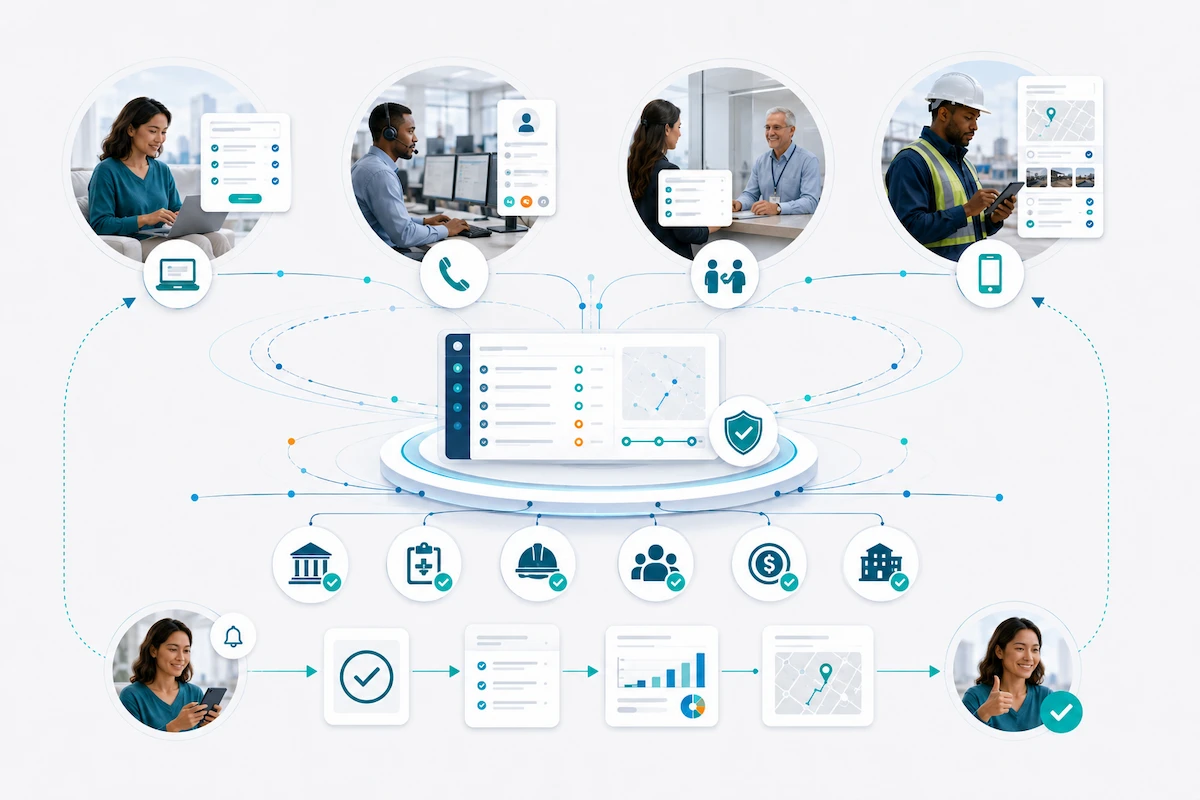
Salesforce can connect public interactions with the employees, workflows, data, and systems that carry the work through resolution. It can support 311, case management, licensing and permitting, inspections, grants, economic development, and other government services while giving leaders a clear view of workloads, service levels, and outcomes.
With Salesforce, leaders also gain a clear view of workloads, service levels, and outcomes.
This guide explains how those capabilities work together, where state and local agencies can apply them, and what leaders should decide before beginning.
Every request a resident makes becomes two things: work someone needs to complete and a record the agency may later need to explain. Salesforce can help an agency manage both.
Why a More Connected Approach Matters for Government Service Delivery
Public services often cross departments, channels, and systems before a request reaches resolution. Each system may serve an important purpose. The difficulty usually appears in the handoffs: information must move, ownership changes, and no team can readily tell the public what happens next.
The Public Experiences One Service, Not the Organizational Structure
Residents and businesses don't experience an agency as a collection of departments and databases. They experience one process. They need to find the right service, understand the requirements, submit information, track progress, and receive a clear resolution.
A Salesforce survey of 1,000 U.S. respondents, conducted from November 27 to December 23, 2024, shows where that experience breaks down:
- 46% said getting help or answers from government is challenging.
- 35% struggle to find the public services relevant to them.
- 33% struggle to understand which assistance programs are available.
- 41% had missed a deadline because a government interaction was complicated or confusing.
That last figure turns a frustrating experience into a real consequence. A missed deadline can determine whether someone receives a benefit, secures a permit, renews a license, or completes another time-sensitive process.
Improving the public experience requires more than a better online form. The work behind the form must move reliably from intake to ownership, action, communication, and resolution.

The Operational Challenge Often Sits in the Handoffs
Many agencies have capable systems supporting individual departments. Problems arise when one service crosses several of them.
A request may begin in a web form, move to a shared inbox, and be re-entered in a departmental system. It may then wait for an update from a field employee.
Staff search for context, repeat data entry, or contact another department for status. Leaders may need another manual report to see workloads, aging cases, service levels, or recurring bottlenecks.
A connected service platform like Salesforce can preserve specialized systems that still do their jobs well while creating a consistent way to manage the work between them. It also provides a more dependable foundation for future automation and appropriately governed AI, including the records, knowledge, permissions, and workflows those capabilities require.
What Is a Government CRM?
A government CRM is a platform that helps an agency manage interactions and ongoing work with the people and organizations it serves. That can include residents, businesses, applicants, service providers, grantees, and community partners.
The platform connects requests, applications, cases, communications, tasks, status, and decisions from intake through resolution.
In most industries, CRM stands for customer relationship management. In government, it is also called constituent relationship management, particularly in 311 and local-government service systems.
Salesforce as a CRM Foundation for Government Service Delivery
Salesforce can serve as both a government CRM and a digital service platform. Its government CRM capabilities can support service requests, applications, cases, communications, workflows, and reporting on a shared foundation.
Rather than replacing every specialized system an agency uses, Salesforce can coordinate public interactions and the work around them, from intake and routing through communication, approvals, reporting, and resolution.
That creates several practical advantages:
- Clear ownership and fewer requests lost during handoffs
- Less duplicate entry and manual status tracking
- More consistent communication with the public
- Better visibility into workloads, backlogs, service levels, and outcomes
- A reusable platform for automation, analytics, digital services, integration, and appropriate uses of AI
The next section looks more closely at the Salesforce capabilities that support those outcomes.
Key Salesforce Capabilities for State and Local Government
Those benefits come from combining the right Salesforce capabilities around the service an agency needs to improve.
Salesforce's public-sector applications and workflows provide government-oriented data models and starting points for licensing and permitting, inspections, grantmaking, case management, social programs, and other government responsibilities. The underlying platform can then be configured around the agency's policies, roles, terminology, data, reporting, and service requirements.
The right combination depends on the service being improved, the systems already in place, and the outcome the agency needs to achieve. Agencies do not need to deploy every capability or replace every existing system at once.
Digital Intake and Self-Service
With the appropriate Salesforce products, licenses, and configuration, agencies can create guided forms and secure online experiences that help people:
- Find the right service and understand the requirements
- Submit information and supporting documents
- Check the status of a request, application, or case
The real improvement happens after someone clicks the Submit button. The information enters a trackable process instead of another inbox or disconnected queue. Employees receive a more complete record, and the person using the service has a clear idea of what happens next.
Online, phone, in-person, and mobile interactions can feed the same service process. Changing channels shouldn't require someone to start over or cause the agency to lose the history behind the request.
Any public-facing experience must still reflect the agency's accessibility, language, identity, privacy, and service requirements. That includes the needs of people who can't or prefer not to use a digital channel.
Case and Work Management
Salesforce can connect the elements associated with a request, application, case, business, property, or facility, including:
- Information and supporting documents
- Communications, tasks, and deadlines
- Status, decisions, and next actions
Employees can see what has happened, what’s missing, and who owns the next action. Supervisors can see where work is waiting. Permissions and access rules help limit what each person can view or change.
This shared history becomes especially valuable when work crosses departments, continues over a long period, or changes hands because an employee is unavailable or leaves the organization.
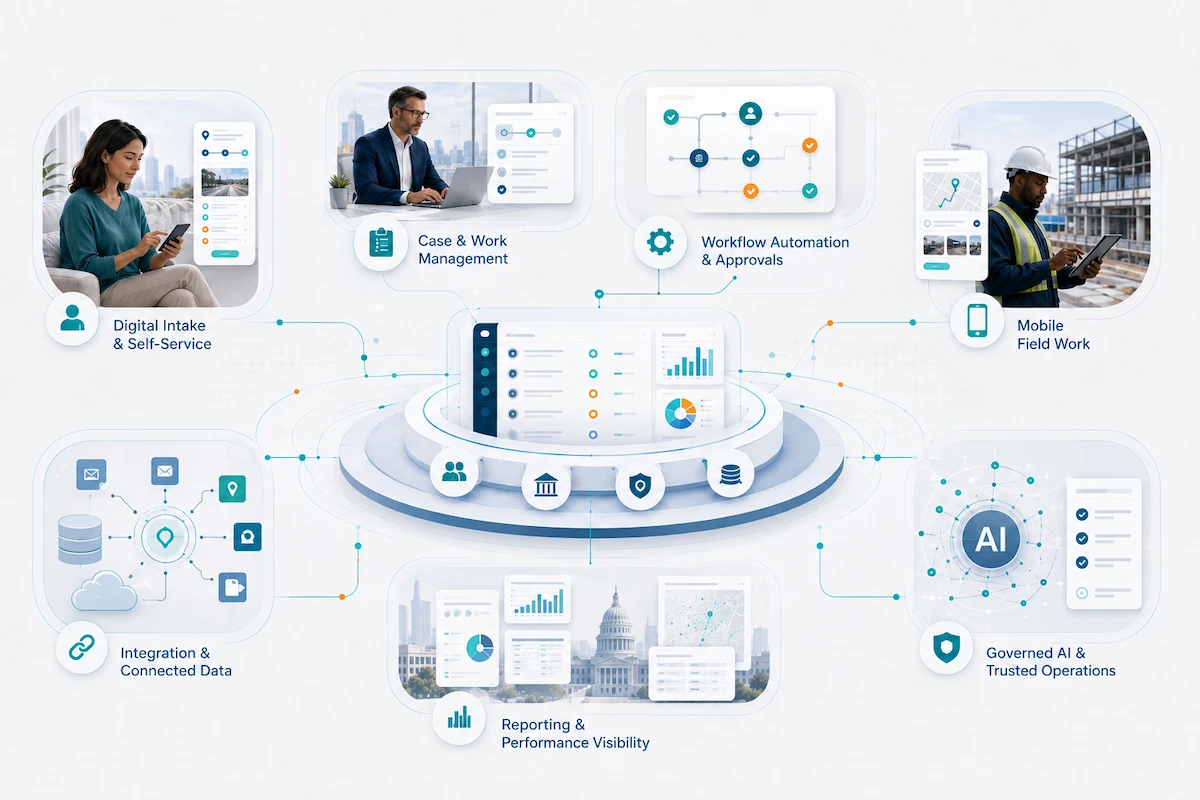
Workflow Automation and Approvals
Salesforce can route work using agency-defined criteria such as service type, location, priority, status, or program. It can also:
- Assign tasks and support reviews and approvals
- Send notifications and monitor deadlines
- Escalate work that needs attention
Automation works best when it removes preventable delays and clarifies ownership. It shouldn't remove people from decisions that require professional judgment, legal authority, or an understanding of the circumstances.
The government agency still defines the rules, exceptions, approval authority, and escalation paths. Salesforce helps carry those decisions through the workflow consistently.
Mobile Field Work
Inspectors and other field employees can use a mobile device to:
- Receive assignments and review relevant information
- Document findings
- Add photos or supporting files
The information collected in the field can remain connected to the same service record used by office employees and program leaders. That reduces duplicate entry and prevents field findings from becoming a separate process that must be reconstructed later.
Supported inspection workflows can also allow employees to work offline and synchronize information when they reconnect. The exact mobile experience depends on the Salesforce products, licenses, devices, permissions, configuration, and network requirements included in the solution.
Integration and Connected Data
Modernization doesn't require an agency to move every record into Salesforce.
Financial, payment, property, eligibility, GIS, document management, and other specialized systems can continue to perform the functions they handle well. Salesforce can coordinate the interaction, workflow, communication, and service history around them.
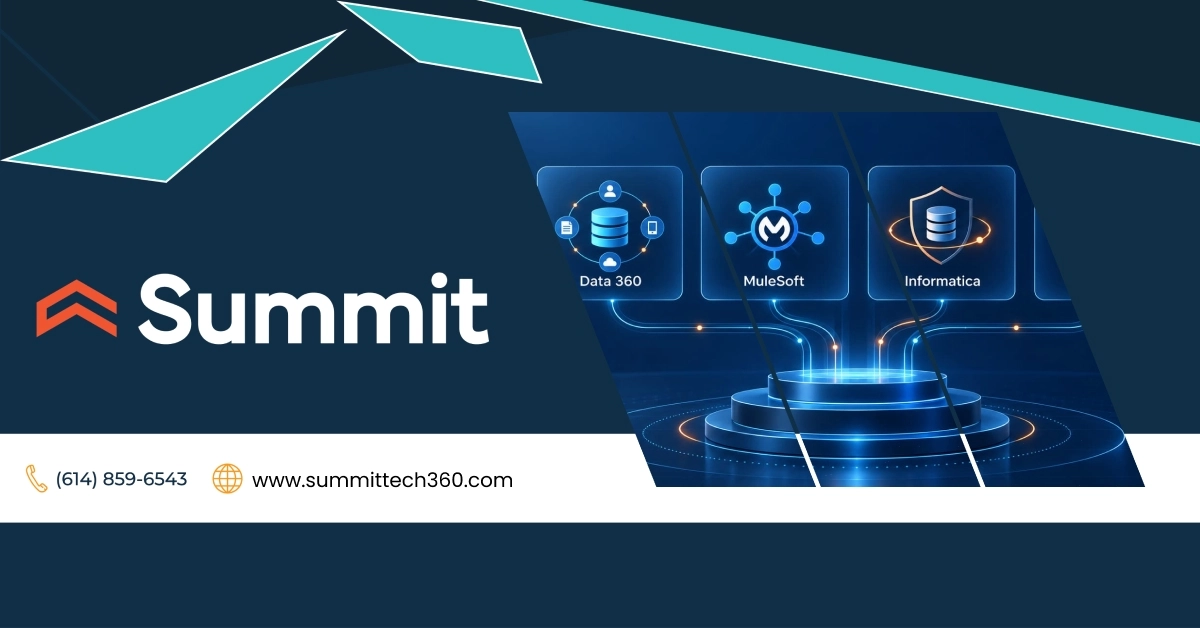
APIs and MuleSoft are among the approaches agencies can use to exchange information between Salesforce and those systems. Data 360 can connect and harmonize relevant data for analytics, automation, and AI.
These technologies solve different problems. Data 360 shouldn't be treated as a replacement for every transactional integration.
The agency still needs to decide:
- Which system owns each record
- What information should move
- When the information should update
- Who may access it
- How delays, conflicts, and failures will be detected and corrected
Those decisions are just as important as the integration technology itself.
Reporting and Performance Visibility
When work is captured consistently, reports and dashboards can show:
- Demand, workloads, and processing times
- Aging work, missed deadlines, and service levels
- Recurring issues and program results
Supervisors can spot a backlog before deadlines begin to slip. Program leaders can see whether a process change improved the outcome. Agency executives can respond to oversight questions without initiating another reporting scramble.
A dashboard can only reflect the information behind it. Agencies still need shared definitions, reliable data, consistent processes, and clear expectations for how employees document the work.
Governed AI for Public Service and Employee Work
Agentforce for Public Sector can support approved public interactions and employee tasks. Depending on the products, licenses, use case, and configuration, AI agents may help:
- Answer questions using approved information
- Guide someone through an intake process
- Summarize a complaint or case
- Complete defined workflow steps
AI should extend a service process the agency understands and governs. It shouldn't compensate for unclear policies, unreliable data, poorly defined permissions, or missing ownership.
Before deployment, the agency should define:
- What information the AI may use
- Which actions it may take
- Where employee review or approval is required
- How exceptions will be escalated
- How quality and risk will be monitored
AI may assist with the work, but accountability remains with the agency and the people authorized to make consequential decisions.
Salesforce becomes most useful when these capabilities work together around a complete service. A polished portal feeding a manual queue only relocates the bottleneck. Automation built on inconsistent information moves errors faster. A dashboard built on incomplete records creates confidence the agency hasn't earned.
What Does Salesforce for State and Local Government Look Like in Practice?
The following scenarios show how digital intake, workflow, data, field work, communication, and reporting can support a complete service from the first trigger through follow-through.
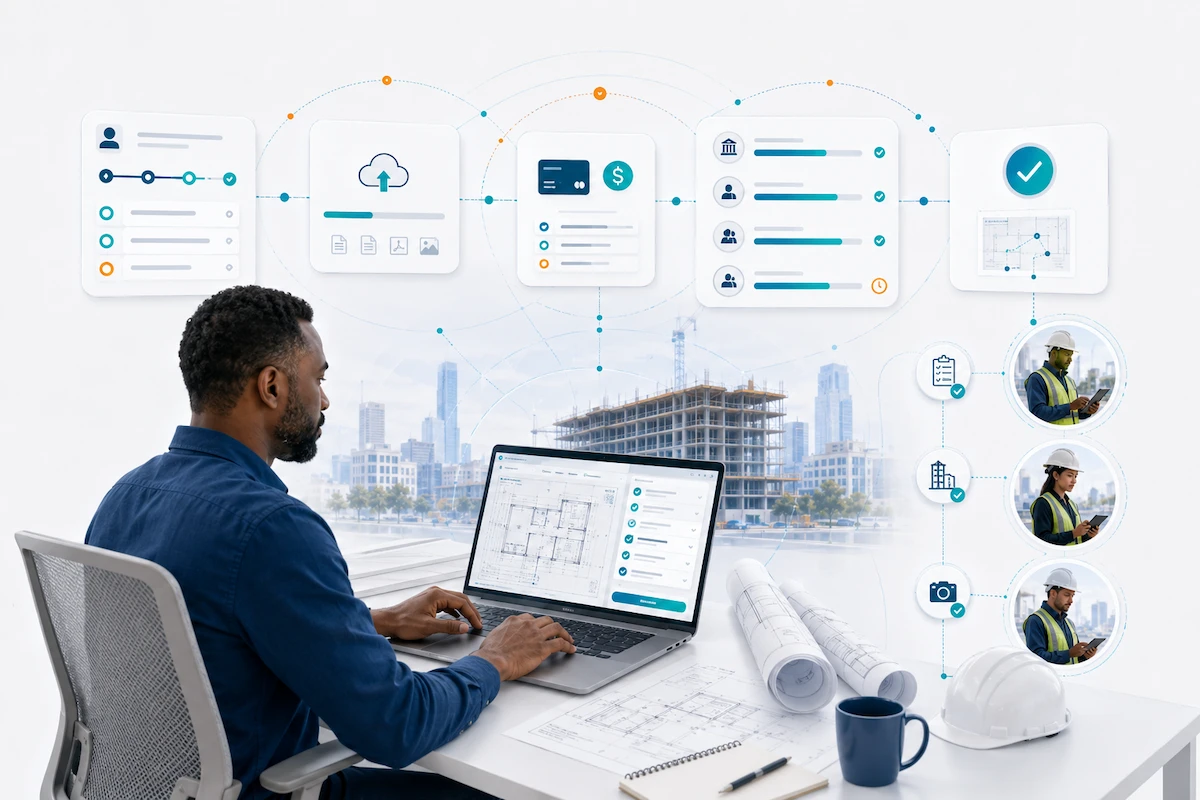
Scenario 1: A Contractor Applies for a Building Permit
A contractor preparing to renovate a commercial property must identify the right permit, submit plans and supporting documents, pay the applicable fees, and complete the required reviews and inspections.
To the contractor, it is one application. Inside the agency, planning, zoning, building, fire, and other departments may each have a role.
1. The Contractor Finds the Right Place to Begin
The agency's website can serve as the public front door and lead the contractor into a secure online application or portal experience.
Salesforce License and Permit Management can use prescreening questions and guided forms to help identify the relevant permit. It can also explain the documents, regulations, fees, and approvals involved.
The agency determines which services, requirements, and guidance appear. Salesforce turns those decisions into a clear starting point.
2. Salesforce Guides and Captures the Application
A commercial renovation may require different information than a new construction project, a residential addition, or a change in occupancy. The application can adjust accordingly.
The contractor can:
- Enter project information
- Upload supporting documents
- Review calculated fees
- Complete an applicable payment through the agency's configured third-party payment service
Once submitted, the application becomes trackable work. The information, documents, communications, and decisions remain connected as it moves forward.
The contractor receives confirmation. Employees receive a defined application to review rather than another form sitting in an inbox.
3. Agency Reviews Stay Connected
The agency defines which departments participate, what each reviewer evaluates, and which approvals are required. Salesforce can route the application through that process.
Reviewers can see which steps are complete, what is missing, who owns the next action, and what has already been communicated.
If a correction is required, the contractor can submit updated information through the online experience. The request, response, and revised documents stay together. Salesforce organizes the work; agency professionals still interpret codes and make the decisions.
4. The Process Continues Through Completion
When the required reviews are complete, the agency can approve the application, request further changes, or issue another appropriate decision. If approved, the permit can be generated and delivered through the configured process.
Inspections, corrections, violations, and enforcement activity can remain connected to the same project history.
The contractor gains clear status, employees can see what needs attention, and leaders can monitor volumes, processing stages, time to issuance, and recurring delays when reliable data and configured reports are in place.
The value comes from connecting the public-facing experience to the reviews, decisions, inspections, and follow-through inside the agency.
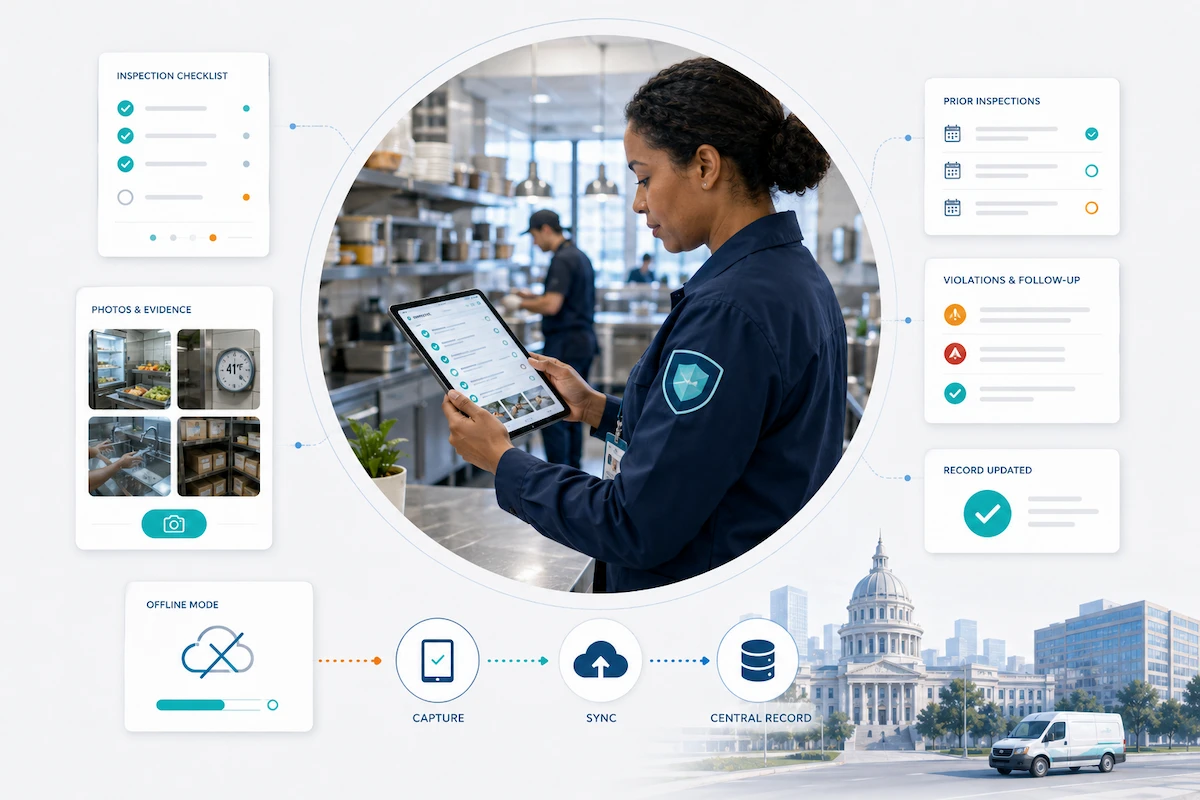
Scenario 2: A Health Department Initiates a Routine Inspection
Not every government process begins on the agency's website. A health department may identify a food-service business that is due for inspection because of a routine schedule, permit renewal, complaint, previous violation, or required follow-up.
This work begins inside the agency because the department has an ongoing responsibility to protect public health and verify compliance.
1. The Agency Schedules and Assigns the Visit
The agency determines why the inspection is needed, how it should be prioritized, who is qualified to perform it, and when it should occur.
Salesforce Inspection Management for Public Sector can support scheduling and assignment. It can connect the visit to the relevant application or facility history and provide a mobile daily visit plan.
The assignment becomes part of a trackable process instead of remaining in a spreadsheet, email, calendar entry, or paper folder.
2. The Inspector Prepares With the Relevant Context
Depending on configuration, integrations, and access rules, the inspector can review:
- License details
- Previous inspections and documented violations
- Relevant complaints
- The appropriate checklist or regulatory codes
When authoritative information remains elsewhere, an integration can bring the necessary context into the inspector's working view.
The visit begins with the history needed to perform the work, not a blank form and records that must be reconstructed.
3. The Inspector Documents the Visit in the Field
During the inspection, the employee can complete the checklist, record observations, upload photos or supporting files, and capture a signature when required.
When Dynamic Assessments are available and configured in Salesforce, questions can adapt to the responses. Public Sector Mobile Inspection also supports offline work and can synchronize data after the inspector reconnects.
Capturing findings at the point of service can reduce handwritten documentation, duplicate entry, and delays between the visit and office follow-up.
4. The Result Sets Follow-Through in Motion
If the facility meets the requirements, the inspection can be completed and added to its history. If a violation is identified, the agency can record the finding, create the appropriate enforcement action, communicate the next steps, and schedule follow-up.
Salesforce can keep findings, evidence, violations, communications, enforcement actions, and follow-up connected.
The agency still determines what constitutes a violation, which response is required, who has authority, and what information may be released.
What These Government Workflows Have in Common
One scenario begins when a contractor needs government approval. The other begins when an agency must carry out a regulatory responsibility. Both depend on the same fundamentals:
- A clear starting point
- Trackable work and visible status
- Relevant information and history
- Defined ownership and decision authority
- Connected communication and follow-through
Salesforce doesn't replace agency judgment or every specialized system. It can coordinate the service around permitting, payment, document, GIS, financial, and other systems that remain authoritative.
For these workflows, Summit's Community Development Accelerator and Environmental Health Accelerator provide Salesforce-based starting points. Agencies can tailor them to their processes, users, data, integrations, access, and reporting needs.
Available capabilities depend on the products and licenses selected, configuration, integrations, and permissions.
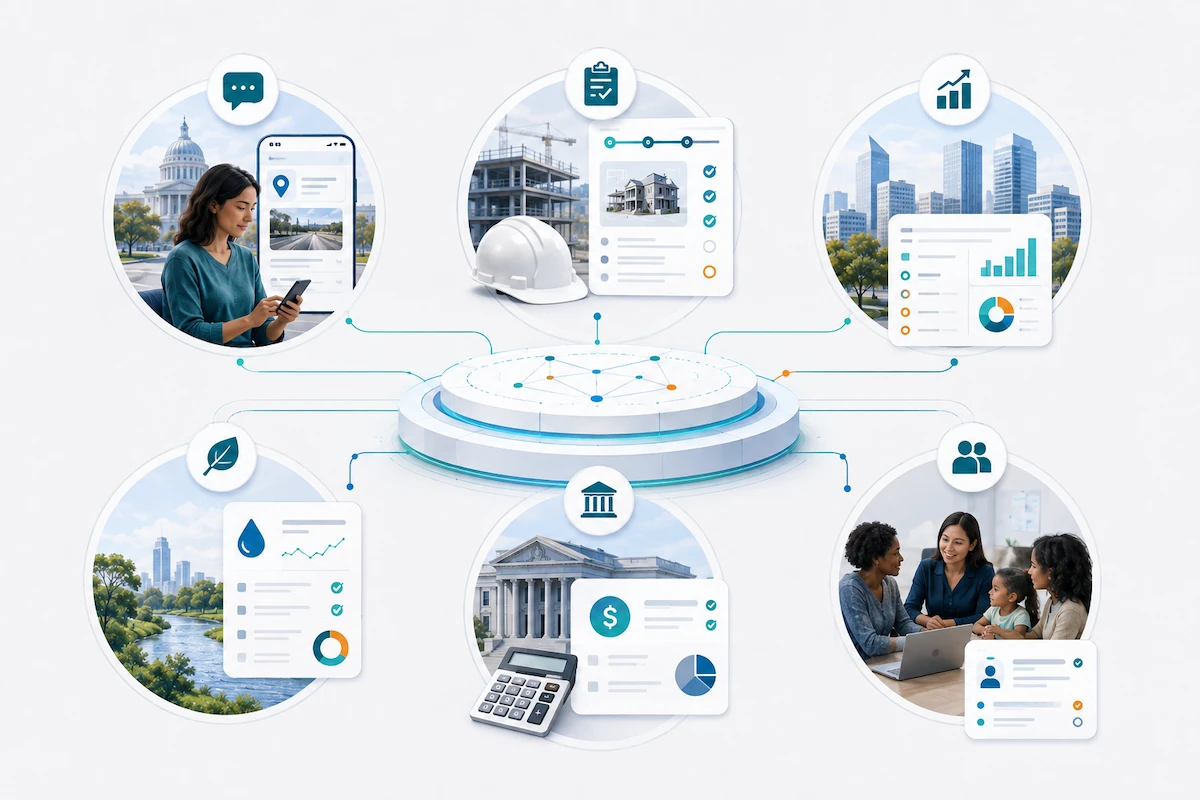
Six Salesforce Use Cases for State and Local Government
The two scenarios show connected service delivery from start to finish. The following use cases show where agencies can apply the same capabilities and which early decisions shape each solution.
| Use case | How Salesforce helps | What can improve |
|---|---|---|
| Citizen requests and 311 | Connects intake, routing, updates, locations, and resolution history | Faster routing, fewer status calls, and clear service trends |
| Licensing, permitting, and inspections | Connects applications, documents, fees, reviews, inspections, and applicant communication | More complete applications, visible handoffs, and fewer avoidable delays |
| Economic development | Connects businesses, properties, projects, outreach, incentives, and results | Stronger relationship continuity and clear project visibility |
| Environmental health | Connects facilities, permits, complaints, inspections, violations, and follow-up | More connected inspection work and more consistent follow-through |
| Grants management | Connects opportunities, applications, reviews, awards, reporting, and outcomes | More consistent reviews and stronger post-award oversight |
| Constituent and program case management | Connects inquiries, cases, assignments, communications, history, and reporting | Better coordination, service continuity, and workload visibility |
Citizen Requests and 311
Residents shouldn't need to understand the agency's organizational chart to report a pothole, missed pickup, damaged sign, or code concern.
With Salesforce: Requests from online forms, mobile devices, phone calls, and service counters can enter one trackable process. Teams can categorize and route each request, keep the resident informed, and follow the work through resolution. Leaders gain a clear view of open requests, response times, aging work, and recurring service issues.
With Summit: Summit's Citizen Request Management (311) Accelerator provides a Salesforce-based starting point for citizen intake, departmental assignment, notifications, resident status tracking, heatmaps, and reporting. The agency can adapt it to its services, departments, terminology, and response expectations.
Key planning question: How should each request move from report to resolution?
The agency should define:
- Its main request types and who owns each one
- The location information employees need
- When residents receive updates
- What counts as complete
Those decisions shape a process that employees can follow consistently and residents can understand.
Licensing, Permitting, and Inspections
Few government services expose weak handoffs faster than licensing and permitting. An applicant can submit documents, pay a fee, wait through several reviews, schedule an inspection, correct an issue, and still need to call to find out what happens next.
With Salesforce: Salesforce License and Permits Management for Public Sector brings applications, guided forms, documents, fees, payments, reviews, status updates, and renewals into one process. Applicants can complete more steps online. Employees can see what has been completed, what is missing, and who owns the next action.
With Summit: Summit's Community Development Accelerator extends that foundation across planning, permitting, multi-agency reviews, inspections, code enforcement, payments, electronic signatures, and public access. Agencies start with a solution designed around community-development work and adapt it to their requirements.
Key planning question: What is the path from application to approval, and what happens when the standard path doesn't apply?
Agencies should clarify:
- Required information, fees, and applicant updates
- Review responsibilities, inspections, and approvals
- The path for incomplete applications, variances, failed inspections, and expired licenses
- How reviews involving several departments will proceed
Economic Development
Economic-development relationships can take years to build. The history behind them can disappear surprisingly quickly when project information lives in separate spreadsheets, personal inboxes, and individual notes.
With Salesforce: Teams can manage businesses, contacts, properties, projects, outreach, commitments, incentives, and results in one shared system. Staff can record conversations, assign follow-up, monitor active projects, and give leaders a current view without rebuilding the story before every meeting.
With Summit: Summit's Economic Development Accelerator applies Salesforce to business recruitment and retention, prospects and projects, properties and sites, incentive programs, outreach, reminders, and results. Dashboards can show projects by status, region, industry, jobs, investment, and project type.
Key planning question: What information should follow a business or project from first contact through final results?
The agency should define:
- Its project stages and the commitments it needs to track
- How it will measure terms such as active project, committed jobs, and realized investment
- Who may access sensitive information about properties, incentives, and site-selection activity
Environmental Health
An inspection shouldn't create a second round of work when the inspector returns to the office. Field findings, violations, corrective actions, and follow-up all need to remain connected.
With Salesforce: Field and office employees can work from the same information about facilities, permits, complaints, inspections, violations, and open actions. Staff can document results, assign follow-up, track unresolved work, and review inspection history without piecing information together from separate systems or paper records.
With Summit: Summit's Environmental Health Accelerator provides a Salesforce-based starting point for permits, inspections, violations, complaints, health-code enforcement, mobile work, public access, and reporting. It is designed around environmental-health responsibilities and can be adapted to the agency's inspection and enforcement processes.
Key planning question: What must be documented during an inspection, and what should each result set in motion?
The agency should define:
- The findings and violations employees must record
- The corrective actions that may follow
- Who owns the next step
- What information should remain available for future inspections and reporting
Grants Management
A grant award is the beginning of oversight, not the end of the process.
Agencies still need to manage award requirements, payments, progress reports, follow-up, and results, often across several programs and funding cycles.
With Salesforce: Salesforce Grants Management for Public Sector connects funding opportunities, applications, eligibility, reviews, awards, disbursements, reporting, and outcomes. Applicants receive clear instructions and status information. Reviewers can follow consistent criteria. Program staff can see where applications or awards need attention.
That shared view also helps leaders understand how funding decisions were made, whether recipients are meeting their obligations, and how funded programs are progressing.
Key planning question: What must remain visible and manageable from application through closeout?
Agencies should identify:
- Eligibility rules and review criteria
- Approval responsibilities and award requirements
- Payment milestones and reporting obligations
- Follow-up actions and intended outcomes
Planning for the complete lifecycle keeps post-award oversight from drifting back into disconnected spreadsheets, emails, and documents.
Constituent and Program Case Management
Residents shouldn't have to restart their story every time a case moves to another employee or department.
Human services, workforce programs, housing, licensing, and constituent-affairs teams address different needs. They all depend on clear ownership, communication, and a dependable case history.
With Salesforce: Salesforce government case management software can bring intake, assignments, tasks, communications, status, case history, and reporting into one service process. Employees can see what has already happened, what needs attention, and who owns the next step. Leaders gain a clear view of workloads, processing times, and case trends.
Salesforce can also connect with legacy and third-party systems. Specialized systems can continue to hold eligibility, payment, or other official program records while Salesforce coordinates the service work around them.
Key planning question: How should a case move, and who should be able to see and act on it at each stage?
The agency should define:
- What opens and closes a case
- Who owns each step and when another team becomes involved
- What requires escalation
- How access will reflect each employee's role and the laws, policies, and agreements governing the information
These services differ, but they share one challenge: work becomes harder when information, responsibilities, and progress are difficult to see.
Salesforce provides the connected platform. Summit's government and public-sector accelerators provide a more focused starting point for citizen requests, community development, economic development, and environmental health.
Explore Summit's Salesforce government solutions and accelerators to see how they can be adapted to your agency's services, policies, systems, and priorities.
What Changes for Residents, Businesses, Employees, and Agency Leaders
Salesforce changes how people experience government services, how employees move work forward, how leaders manage performance, and what the agency can build next.
For Residents
Government services become easier to understand and navigate. Residents can see what information is needed, what happens next, and where a request or case stands without repeatedly calling or starting the conversation over.
For example, a resident applying for housing assistance can receive clear information about missing documents and more consistent updates as the case moves between employees or programs. The relevant history stays with the case.
Residents spend less time:
- Searching for the right department
- Repeating information
- Wondering whether their case is moving forward
Whether the interaction begins online, by phone, or in person, the experience remains more connected.
For Businesses
Businesses gain a more predictable path through applications, permits, licenses, inspections, economic-development programs, and other government processes that affect their plans and timelines.
A business preparing to open or expand a facility can see which permit reviews are complete, what information remains outstanding, and whether an inspection still needs to be scheduled. If an economic-development team is also involved, conversations, project details, incentive commitments, and follow-up can remain connected throughout the relationship.
That visibility can help businesses:
- Plan with greater confidence
- Spend less time chasing updates
- Reduce the risk that an avoidable handoff or missing document delays an opening, expansion, or investment
For Employees
Employees can begin with the history and context they need instead of reconstructing the story from emails, spreadsheets, paper records, and calls to another department.
Picture an environmental health inspector beginning the day with each facility's permit status, inspection history, previous violations, and open corrective actions in a single connected view. The inspector arrives prepared, records findings and evidence in the field, and keeps enforcement or follow-up connected to the facility's history.
Employees can spend less time:
- Searching for information
- Re-entering data
- Maintaining parallel trackers
Clear ownership and stronger handoffs keep work moving when several teams are involved. That leaves more time for work that requires judgment, expertise, and direct service.
For Program and Agency Leaders
Leaders gain a current view of demand, workloads, processing times, aging applications, open cases, missed deadlines, and program results across teams and locations.
A program director can see that grant applications are accumulating during eligibility review before award deadlines begin to slip. The agency can shift resources, address the slow handoff, and monitor whether the change improves processing time.
Stronger visibility helps leaders:
- Identify problems earlier and act while they are still manageable
- Respond to elected officials, oversight bodies, and the public with current information
- See whether operational or technology investments are producing better results
For the Agency as a Whole
Connected processes create a more dependable institutional record of what happened, who acted, when decisions were made, and what still requires attention.
That record supports:
- Continuity when employees change roles
- Oversight, audits, and public-records responses
- Stronger accountability
The agency also gains reusable capabilities. A secure portal, identity process, integration pattern, notification approach, or reporting model established for permitting can provide a tested starting point for grants, inspections, case management, or another program.
The next project begins with proven components and lessons learned, rather than a blank page. That can shorten delivery timelines, reduce risk, and increase the value of the agency's Salesforce investment over time.
The result is more consistent service for residents, fewer avoidable delays for businesses, better information for employees, and earlier action from leaders. The agency also builds capabilities that it can continue to use across programs.
The next step is to turn that vision into decisions the agency can fund, govern, and deliver.
Seven Questions to Answer Before Starting a Salesforce Project in State or Local Government
Early planning is about shared clarity, not a finished implementation plan. These seven questions help program, technology, security, finance, procurement, and operational leaders choose a starting point, define success, and surface decisions that could change the scope, cost, or risk.
1. Which Government Service Should Salesforce Improve First?
Start with one defined service or workflow. The strongest candidates:
- Occur frequently
- Cross teams or systems
- Create visible friction for residents, businesses, or employees
- Have a clear owner who can move the work forward
The right starting point is focused enough to manage and important enough to prove value.
2. What Measurable Result Will Define Success?
Decide what should be different after the project. Possible outcomes include:
- Shorter processing times
- More complete applications
- Faster case resolution
- Fewer overdue follow-ups or status calls
- Better performance against service targets
Agree on the current baseline, the desired improvement, and the source of the measure. Launching a portal or moving records into Salesforce is a project milestone, not the service or operational outcome.
3. How Should the Service Work From Start to Finish?
Map the service from intake through approval, resolution, renewal, or closeout. Clarify:
- Who owns each stage
- Where handoffs occur
- What updates people receive
- How exceptions are handled
Design around how people actually use the service across online, phone, in-person, and field channels. This also reveals which routine steps can be automated and where employee judgment, approval, or escalation remains essential.
4. What Information and Systems Must Work Together?
Identify the records, documents, and updates employees need at each stage. Then determine where that information lives and which system will remain the official source.
Salesforce may coordinate the service while existing systems continue to manage eligibility, payments, property records, financial transactions, or other specialized information.
Clarifying those roles early improves Salesforce integration design and surfaces data-quality and migration work before it affects scope, schedule, or cost.
5. Which Security, Compliance, Accessibility, and Hosting Requirements Apply?
The following requirements shape the solution from the beginning:
- Access and privacy
- Records retention and audit history
- Accessibility and security
- Data sensitivity
They may also affect the Salesforce products and operating environment the agency selects.
Salesforce states that Agentforce Public Sector can run on a Salesforce commercial instance, Government Cloud, or Government Cloud Plus. Government Cloud offerings are purchased separately.
The right environment depends on the service's data, security, compliance, and authorization requirements. Because product and feature availability, as well as authorization coverage, can vary by environment, the agency should confirm compatibility before finalizing the architecture and licensing plan.
Government Cloud isn't automatically required simply because the organization is a government agency.
6. Who Will Own the Service After Launch?
A program or service owner should remain accountable for results after implementation. The agency also needs named responsibility for:
- Salesforce administration
- Data quality and security
- Employee adoption and change management
- Training and support
- Ongoing improvement
Several teams may share responsibility, but each area still needs a named owner. Clear ownership keeps the service aligned with agency priorities as policies, needs, and Salesforce capabilities change.
7. What Will It Cost to Launch and Sustain the Service?
Look beyond the cost of getting to launch. A realistic investment plan includes:
- Salesforce licensing and implementation
- Integrations, data preparation, and migration
- Training, procurement, and employee time
- Platform administration and support
- Future enhancements and anticipated growth in users or licenses
A three- to five-year view helps the agency compare options, phase delivery across funding and procurement cycles, and plan the people and resources needed to sustain the service. It also keeps the lowest initial price from obscuring the full cost of ownership.
The answers can become more detailed during discovery. At this stage, shared direction is enough to align the buying group, expose critical assumptions, and build a stronger case for investment.
Those decisions create the foundation for a practical Salesforce roadmap.
How Summit Helps State and Local Government
Summit begins with the service that needs to improve and the result the agency must deliver. The technology plan follows from there.
Working across program, technology, security, procurement, finance, and operations, Summit helps turn the agency's decisions into a phased roadmap.
- Salesforce platform strategy and roadmap services align the service outcome, scope, architecture, priorities, and delivery sequence.
- Salesforce implementation services translate the plan into configured workflows, data models, reporting, security, and tested releases.
- Salesforce integration services and data, analytics, and AI services connect required systems and build a stronger foundation for insight, automation, and responsible AI.
- Customized Salesforce training and managed services for government support adoption, administration, optimization, and ongoing ownership after launch.
Government Accelerators Provide a More Focused Starting Point
Summit's government accelerators support four common areas:
These Salesforce-based accelerators provide configurable workflows, data structures, and reporting patterns. Agencies can adapt them to their policies, processes, systems, users, access requirements, and terminology.
This can shorten the path from discovery to delivery without sacrificing the flexibility government services require. Grants, case management, and other priorities can be designed around the agency's programs and reporting needs using Salesforce's public-sector capabilities.
Experience and Representative Public Sector Results
Summit has designed and built technology solutions for government since 2016, and its leadership includes firsthand municipal-government experience. As a Summit-tier Salesforce consulting partner, the company has delivered 1,300+ successful projects across its broader Salesforce work.
Representative public-sector results include:
- Utah Department of Corrections: Summit's case study reports that a Salesforce recruiting and applicant solution cut recruitment time from more than 90 days to 45 days, produced a 70% efficiency gain, and reduced manual reporting by 30 hours per month.
- City of Westerville: Summit's Economic Development Accelerator created a shared platform across three departments, strengthening coordination, project visibility, incentive accountability, and leadership reporting.
- Florence County: Summit replaced spreadsheets and Word documents with a customized Economic Development Accelerator and continued supporting the county through managed services.
Agencies can begin with one meaningful service, establish a practical roadmap, deliver a measurable result, and build from there.
Explore Summit's Salesforce government solutions and accelerators to see where a proven starting point fits and where the agency needs a more tailored path.
The Bottom Line on Salesforce for Government
The payoff of Salesforce as a Government CRM is a government service that is easier to navigate, easier for employees to deliver, and easier for leaders to improve.
Residents receive clear, more consistent service. Businesses spend less time chasing updates on permits, inspections, and approvals. Employees work with better context. Leaders can see backlogs and service problems early enough to act.
Salesforce provides the connected platform. Its government applications and Summit's accelerators can create a stronger starting point. Lasting value comes from matching the technology to the agency's service, policies, workflow, data, security, accessibility, adoption, and ownership requirements.
The strongest first project solves a meaningful problem, produces a measurable result, and establishes capabilities the organization can reuse. That is how one Salesforce project becomes a practical foundation for broader IT modernization. It improves public service now while making the next improvement easier to deliver.
Frequently Asked Questions About Salesforce for State and Local Government
What is a Government CRM?
In government, CRM is often referred to as constituent relationship management. It is a shared platform for managing requests, applications, cases, communications, tasks, status, and service history across the people and organizations an agency serves.
Salesforce can provide that shared service foundation while financial, property, eligibility, payment, records, and other specialized systems remain authoritative for the information they are designed to manage.