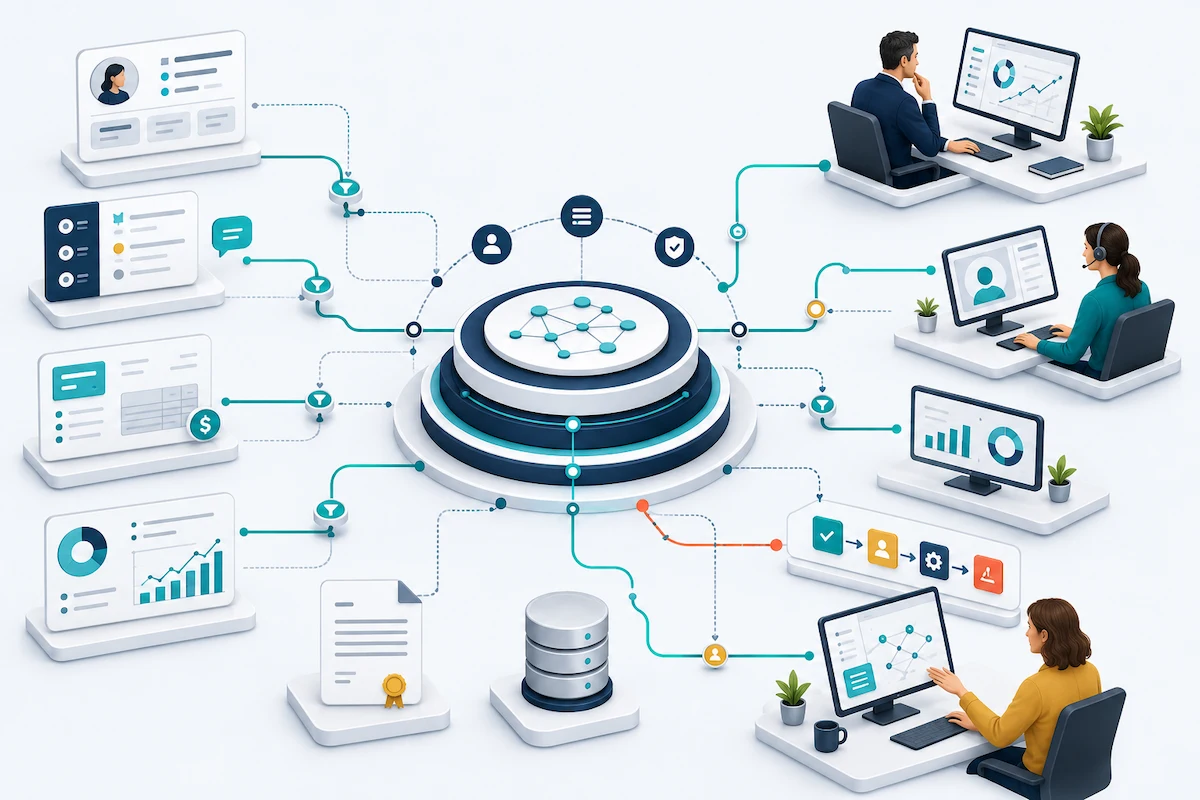
Salesforce Data 360, formerly Data Cloud, is the data engine native to Salesforce. It connects and unifies information from Salesforce and external systems, then makes that context available across sales, service, marketing, analytics, automation, and Agentforce.
Data 360 creates value when more complete, current, and governed information changes what a person, workflow, or AI agent sees and does.
This guide explains the problems Data 360 solves, how it works, what it changes for your teams, how it fits with the technology you already own, and how to decide whether your business needs it now.
What is Salesforce Data 360?
Salesforce Data 360, formerly Data Cloud, is Salesforce's native data engine and activation layer. It connects structured and unstructured information from across your business—including ERP and finance records, service history, product signals, documents, data warehouses, and data lakes—and makes that information usable across Salesforce applications, analytics, automation, and AI.
Salesforce renamed Data Cloud to Data 360 on October 14, 2025, as part of the Agentforce 360 platform. Salesforce says the functionality did not change with the name, and organizations may continue to see "Data Cloud" in documentation, setup screens, and license names during the transition.
From fragmented records to unified profiles
Most organizations first consider Data 360 as a means to create a more complete customer view. It applies matching rules to determine which records across sales, service, marketing, billing, and other systems describe the same person or account. Instead of six partial records, teams can work from one unified customer profile.
Data 360 goes beyond customer data
That Customer Data Platform (CDP) capability is important, but it is not the whole product. Data 360 can also work with transactions, product activity, inventory, operational information, and unstructured documents. Its role extends beyond marketing into sales, service, commerce, analytics, automation, and Agentforce.
Activation is where Data 360 creates value
The key word is activation. Many organizations can already combine information for reporting. Data 360 is designed to bring relevant context into the moments where decisions and actions occur: the account record a seller reviews before a call, the case a service representative is resolving, the audience a marketer is preparing, or the response an AI agent gives a customer.
If your teams routinely search across systems and piece together the customer or account story before they can act, that is the gap Data 360 is designed to close.
The problems Data 360 is built to solve
Many conversations about Data 360 start with the technology. But the business case becomes clear when you start with a problem you can recognize without knowing anything about the platform.
The information needed to make a better decision or take the right action often exists, but it sits in another system, is held by another team, or arrives after the moment to act has passed. These data silos rarely cause a single obvious failure. Rather, they create a pattern of small, reasonable decisions made from incomplete information, and the accumulated cost is easy to miss.
Fragmented data can hide the full customer story
Consider a customer account approaching renewal. Salesforce shows an open opportunity and a healthy forecast for that customer—an exciting opportunity for the account team. However, what the sales team didn’t see is that:
- The service team has escalated three recent cases for that customer.
- Their product usage has declined over the past two months.
- Marketing sees some engagement and schedules an expansion offer that isn't an ideal fit.
- Contract terms that could shape the conversation remain buried in a document.
While each "signal" is available if you know where to look (and have the time to do so), no one working from a single system can see what those signals mean together.
By the time the account team connects the dots, the customer is already frustrated, the renewal is at risk, and the quarter is nearly over.
The problem wasn’t a lack of effort. The context arrived too late to change the conversation.
Missing context also weakens service and operations
The same pattern appears beyond renewals.
A service representative can see the customer’s case history but not the original order, warranty status, entitlement, or any related case in another queue. The representative may follow the process correctly and still provide an incomplete answer.
A service rep may promise a delivery, installation, repair visit, or application decision without seeing the available inventory, committed capacity, payment status, or how long similar work has recently taken.
When the date slips, the customer faces the disruption, service absorbs the customer complaint, and finance sees the impact later.
The information needed for a better decision already existed somewhere. It simply was not available where and when the rep’s decision was made.
The failure happens between systems
This is what makes fragmented data difficult to diagnose. Every team may be acting responsibly based on the information it can access, yet the organization as a whole may still make a poor decision.
Data 360 is designed to reduce that gap. It connects and unifies relevant information from Salesforce and external systems, then makes that context available in the Salesforce applications, workflows, analytics, automation, and AI people use to act.
It doesn’t replace sound data governance, clear business definitions, or accountable process ownership. But when those foundations are in place, Data 360 can help your teams move from partial records and late explanations to earlier, better-informed action.
How Salesforce Data 360 works
In business terms, Salesforce Data 360 helps your teams make better decisions using a more complete, current, and trusted view of each customer or account.
It does this by bringing together relevant information, connecting records that refer to the same customer, identifying changes that deserve attention, and delivering that context to the people and systems responsible for acting on it.
Here is what that means in practice.
Give teams the context they need before they act
Sales, service, marketing, and operations teams often see different parts of the same customer relationship. Data 360 connects the relevant information so each team can work with a more complete picture.
For example, an account team preparing for a renewal may need to see:
- Open opportunities and recent sales activity
- Product usage and adoption trends
- Unresolved or escalated service cases
- Billing and payment status
- Contract terms and renewal dates
- Recent marketing engagement
Data 360 connects this information from Salesforce and external systems such as billing platforms, service applications, finance or ERP systems, product platforms, data warehouses, and data lakes.
It can bring selected data into Data 360 through connectors, APIs, and scheduled or streaming data feeds. With supported Zero Copy connections, Data 360 can access selected data where it already resides rather than requiring the organization to continually copy it into Salesforce.
Data 360 also maps different fields and formats into a common structure. If the CRM calls an organization an "account" and the billing system calls it a "customer," Data 360 establishes how those records relate.
The goal isn’t to connect every data source the organization owns. It’s to give people the specific information they need to improve a decision, interaction, or workflow.
Create a more reliable view of each customer or account
Connecting information doesn’t help if teams still see duplicate, incomplete, or conflicting records.
Data 360 uses identity resolution to determine which records across different systems belong to the same person, customer, or account. It then creates a unified profile that teams, workflows, analytics, and AI agents can use.
For example, the CRM, billing system, service platform, and product database may all contain records for the same company under slightly different names or identifiers. Data 360 uses matching rules to connect those records.
When sources disagree, reconciliation rules determine which value Data 360 should use. Your organization might designate the billing platform as the trusted source for payment status, the CRM for account ownership, and the contract system for renewal dates.
Data 360 applies those rules, but it doesn’t create them for you. Business and data owners must decide:
- What constitutes the same customer or account
- Which source should be trusted for each type of information
- When one source should take priority over another
- Which conflicts or exceptions require human review
Clear definitions matter. Data 360 can distribute a trusted answer across the business. But if the underlying rules are wrong, it can distribute the wrong answer just as efficiently.
Alert teams to changes that deserve attention
A unified customer view explains what is happening across the relationship. Data 360 can also help teams recognize when that information calls for action.
For example, Data 360 can help identify:
- A decline in product usage before a renewal
- An increase in unresolved or escalated service cases
- An account generating unusually high service demand
- A customer that meets defined expansion or retention criteria
- A change that should trigger an alert, workflow, recommendation, or AI-assisted response
Data 360 creates these signals by applying the organization's defined calculations, criteria, and models to information from multiple systems.
The business still determines what each signal means. A 20% decline in product usage might indicate renewal risk for one offering but reflect a normal seasonal pattern for another. Data 360 can detect the change. Business leaders must define when the change matters and how the organization should respond.
Put relevant context into the flow of work
Information creates value when it improves what someone sees, decides, or does.
Salesforce calls this activation. Data 360 delivers relevant customer and account context to the applications, records, workflows, analytics, and AI experiences where work happens.
That context might:
- Warn an account team about declining usage before a renewal call
- Show a service representative the customer's warranty, order, and entitlement information
- Route a high-risk case to the appropriate team
- Trigger an outreach workflow when customer health changes
- Refine a marketing audience using current customer behavior
- Improve a dashboard, recommendation, or forecast
- Give an Agentforce agent the information it needs to answer or act appropriately
Data 360 can deliver that context through Salesforce records, Flow, Salesforce applications, external destinations, APIs, and Agentforce.
The required speed depends on the decision. A customer-facing interaction may require current information immediately. A planning dashboard may only need a daily update. The goal is not to make every data source operate in real time. It is to make the information available in time to improve the outcome.
If the connected information never changes what someone sees, decides, or does, the organization may have improved its data environment without improving the business.
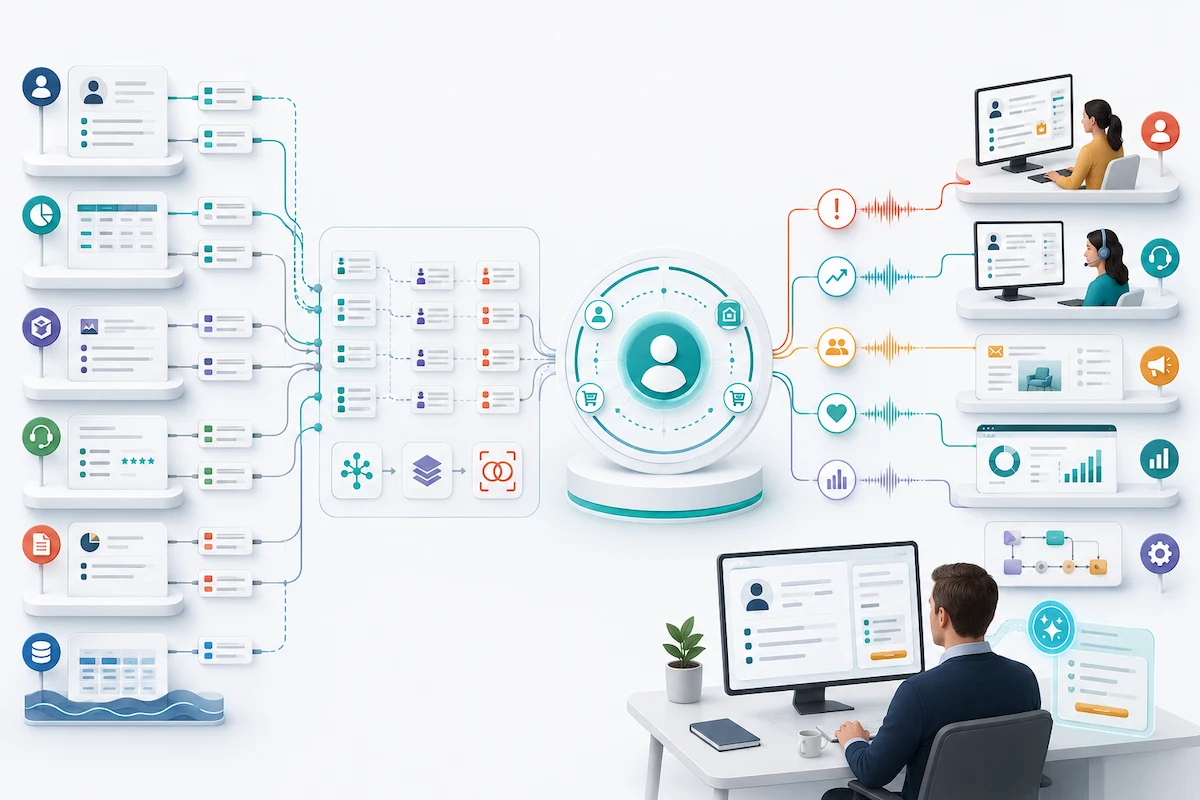
What Data 360 changes for sales, service, marketing, and operations
Salesforce supports Data 360 use cases across sales, service, marketing, commerce, and industry workflows. Data 360 supports each team differently, but the underlying benefit is the same: it reduces the time people spend searching across systems and piecing together information by bringing relevant context into the applications and workflows they already use.
| Your team | What fragmented context creates | What Data 360 can change |
|---|---|---|
| Sales | Sellers spend time piecing together account information before calls. Forecasts and opportunity plans may not reflect product usage, service activity, billing status, or contract milestones. | Data 360 can bring relevant customer, product, service, and financial signals into account and opportunity records. Sellers can prepare more quickly, identify risk or expansion potential earlier, and assess opportunities using a fuller view of account health. |
| Customer service | Customers repeat information as cases move between people or channels. Representatives respond without complete order, entitlement, product, warranty, or relationship history. | Data 360 can make relevant customer and account context available during the service interaction. It can also support case prioritization, routing, and proactive outreach, helping representatives provide more informed responses and reducing blind handoffs. |
| Marketing | Teams build audiences from static exports or incomplete profiles. Consent changes, purchases, service issues, and recent behavior may not reach the campaign before it launches. | Data 360 can build and update audiences using unified customer profiles, apply configured consent and suppression rules, and activate approved segments across channels. Marketing can deliver more relevant outreach and connect campaign performance with later service, retention, and revenue outcomes. |
| Operations and leadership | Teams reconcile reports manually, debate which numbers are correct, and make customer commitments without complete inventory, capacity, financial, or operational context. | Data 360 can combine relevant customer and operational signals and carry shared definitions into connected workflows, analytics, and Salesforce records. Leaders and operating teams can spend less time reconciling information and more time deciding what to do with it. |
Data 360 doesn’t need to give every team the same screen or every available data point. It should give each role the context needed for the decision in front of them.
That distinction matters. More data can create more work. Relevant, governed context can reduce preparation, improve coordination, and help teams respond while there is still time to influence the outcome.
Data 360 can bring more relevant context into each team’s work, but the organization must define what information each role needs, which source should be trusted when records conflict, who can access the information, and what should happen when it reveals a risk or opportunity. Those decisions determine whether the new context actually improves the work.

Does Agentforce require Salesforce Data 360?
Yes. Salesforce requires Data 360 to be provisioned and enabled for Agentforce. However, not every Agentforce use case requires an extensive Data 360 implementation. The scope depends on the agent’s job and the information it needs to perform that job reliably.
What does this mean in practice?
Let’s revisit our upcoming customer renewal example.
The CRM contains the contacts, opportunity history, and recent sales activity. But other information that could affect the renewal sits elsewhere:
- Product usage lives in the company’s application
- Open service issues live in the support platform
- Invoices and payment status live in the finance system
- Contract terms and renewal dates live in another repository
Simply enabling Data 360 doesn’t automatically give the agent access to all of this information.
If the agent can only see the CRM record, it may produce a renewal summary that looks positive based on recent sales activity. At the same time, it could miss declining product usage, an unresolved priority case, or an overdue invoice—all signals that could change the account team’s approach.
Data 360 can connect and organize the relevant information and make it available to Agentforce under rules the organization defines. With that broader context, the agent could prepare a more useful account summary, flag potential risks, recommend an appropriate next step, or route an issue to the right person.
The organization must still decide which information the agent can use, which source it should trust, how current the information needs to be, and when the agent should involve a person.
Turning on Data 360 is only the starting point
Salesforce distinguishes between enabling and implementing Data 360 for Agentforce.
Data 360 enabled means the platform has been provisioned and turned on in the Salesforce environment. Salesforce requires this for Agentforce and uses it to support capabilities such as the Agentforce Data Library and Einstein Trust Layer.
Data 360 implemented for the use case means the organization has prepared the additional information that a particular agent needs. This may involve connecting other systems, establishing trusted sources, controlling access, and defining how the agent should use the information.
The difference becomes clear when you compare two agents.
- An internal agent that answers employee questions from an approved policy library may require little or no cross-system data work.
- An agent that supports customer renewals may need current information from sales, service, product, billing, and contract systems. It may also need rules governing what it can retrieve, share, recommend, or act on.
The more complex and consequential the agent’s job, the more important its data foundation becomes.
Recommended first step: Define the information the agent needs to do its job
Use one question to establish the initial scope:
What is the minimum current, trusted, and approved information this agent needs to do one valuable job well?
The answer should clarify:
- What information the agent needs
- Where that information currently resides
- Which source the business trusts when records conflict
- What the agent may retrieve, share, recommend, or change
- When the agent must hand the work to a person
Those decisions define the practical Data 360 scope, timeline, cost, and risk for the use case.
For more guidance on selecting and preparing the first workflow, see our blog post on What is Salesforce Agentforce or Summit’s Agentforce Quickstart guide.
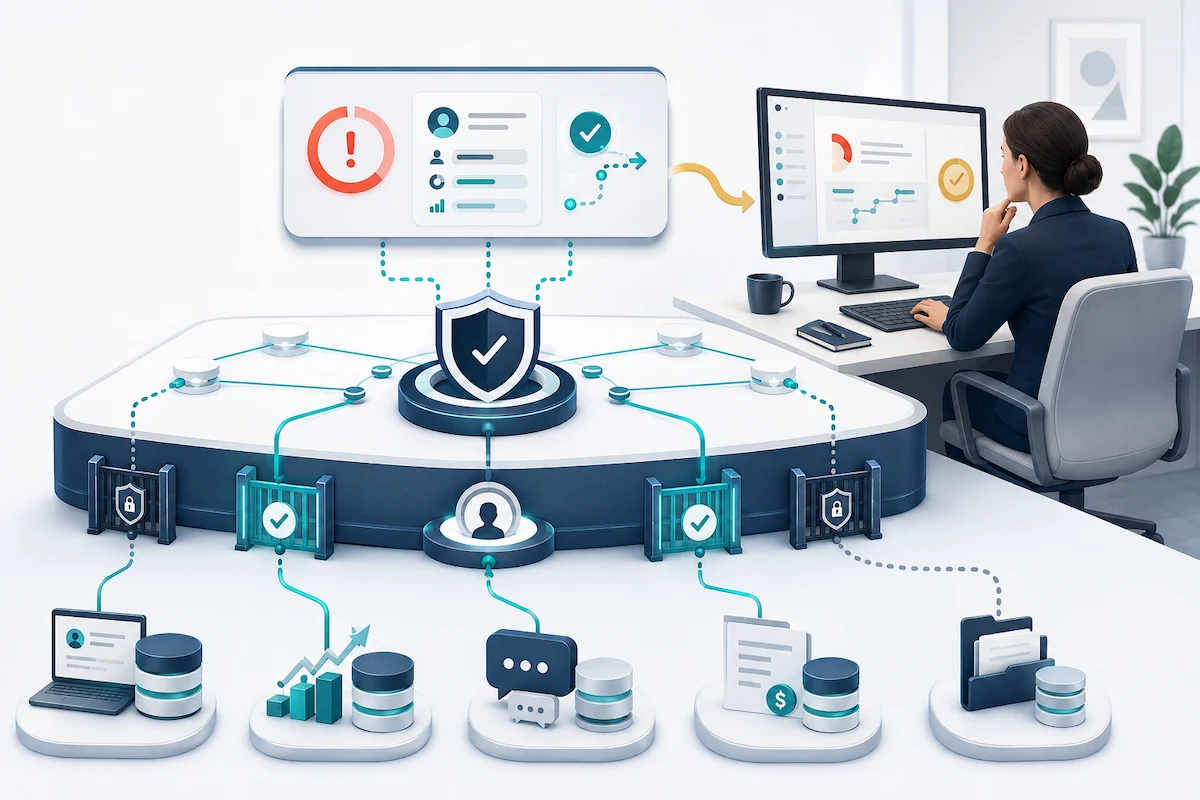
How Data 360 fits with the systems you already have
Most organizations considering Data 360 already have several systems that store, move, manage, or use customer information. Each one serves a different purpose. Data 360 may complement some of these systems and overlap with others.
Consider the customer-renewal example from the previous section:
- Salesforce CRM may contain the account, contacts, opportunities, service cases, and sales activity.
- A data warehouse may hold detailed product usage and historical trends.
- A master data management system may determine which account records belong to the same company and which values the business trusts.
- An integration platform may keep Salesforce, billing, finance, and contract systems connected.
- An existing customer data platform may already unify profiles or build audiences for marketing.
Data 360 can use selected information from these systems to create more complete customer or account context and make it available to Salesforce users, workflows, analytics, and Agentforce.
Understanding the role of each system helps the organization use Data 360 where it adds value without unnecessarily duplicating technology it already owns.
| What you may already have | The job it usually performs | Where Data 360 fits |
|---|---|---|
| Salesforce CRM | Sales and service teams use the CRM to manage accounts, contacts, opportunities, cases, activities, and customer interactions. | Data 360 adds relevant information from systems beyond the CRM and can connect records that describe the same customer or account. Sales Cloud and Service Cloud remain where teams manage the relationship and perform much of their daily work. |
| Integration platform | An integration platform connects applications, moves information between them, and coordinates processes that cross systems. For example, it might send order or billing information between Salesforce and an ERP platform. | Data 360 can receive information through those connections and make selected information usable as unified customer or account context. The integration platform continues to manage the connections and movement between applications. |
| Data warehouse or lakehouse | A warehouse or lakehouse holds large volumes of current and historical data for reporting, analytics, forecasting, and data science. | Data 360 can use selected warehouse data without replacing the broader analytics environment. With supported Zero Copy connections, it can access certain data where it already resides rather than creating another full copy. |
| Master data management system | Master data management, or MDM, establishes the trusted record for important business entities such as customers, products, and suppliers. It may determine which records belong together and which values should be treated as authoritative. | Data 360 can use the mastered record as a trusted foundation and combine it with activity, transactions, service history, product usage, and other signals. The MDM and Data 360 teams should agree on which platform owns matching and source-of-truth decisions, so they do not create conflicting customer records. See Summit’s guide to Data 360 and master data management. |
| Customer data platform | A customer data platform, or CDP, brings together customer information, creates unified profiles, builds audience segments, and sends approved audiences or signals to other channels. | Data 360 includes CDP capabilities, so this is where the greatest potential overlap exists. Data 360 may complement, replace, or duplicate parts of an existing CDP. The organization should decide which platform will own profile unification, consent, segmentation, and audience delivery. |
Questions to ask your internal teams
You don’t need to understand the underlying architecture to start a useful conversation. Ask your Salesforce, data, integration, and marketing technology leaders:
- What customer and account information does Salesforce already contain?
- What relevant information currently lives outside Salesforce?
- Which platform moves or synchronizes information between systems?
- Which system does the business trust when customer or account records conflict?
- Do we already have a CDP, and which teams and workflows depend on it?
- Where should the combined information become available to employees, workflows, analytics, or agents?
- Which responsibilities should remain with the systems we already use?
The answers should produce a clear division of responsibility. If two platforms are matching the same customers, managing the same consent rules, or building the same audiences, the organization may create unnecessary cost and conflicting results.
Data 360 should have a defined role: making selected, trusted information useful within Salesforce decisions, workflows, and Agentforce use cases.
Worth knowing: Salesforce completed its acquisition of Informatica in November 2025, expanding its broader integration, data quality, governance, and MDM portfolio. That doesn’t mean every Informatica capability is automatically included with Data 360. Your current products, contracts, and implementation still determine what capabilities you have today. Summit explains the broader implications in its Salesforce-Informatica acquisition analysis.
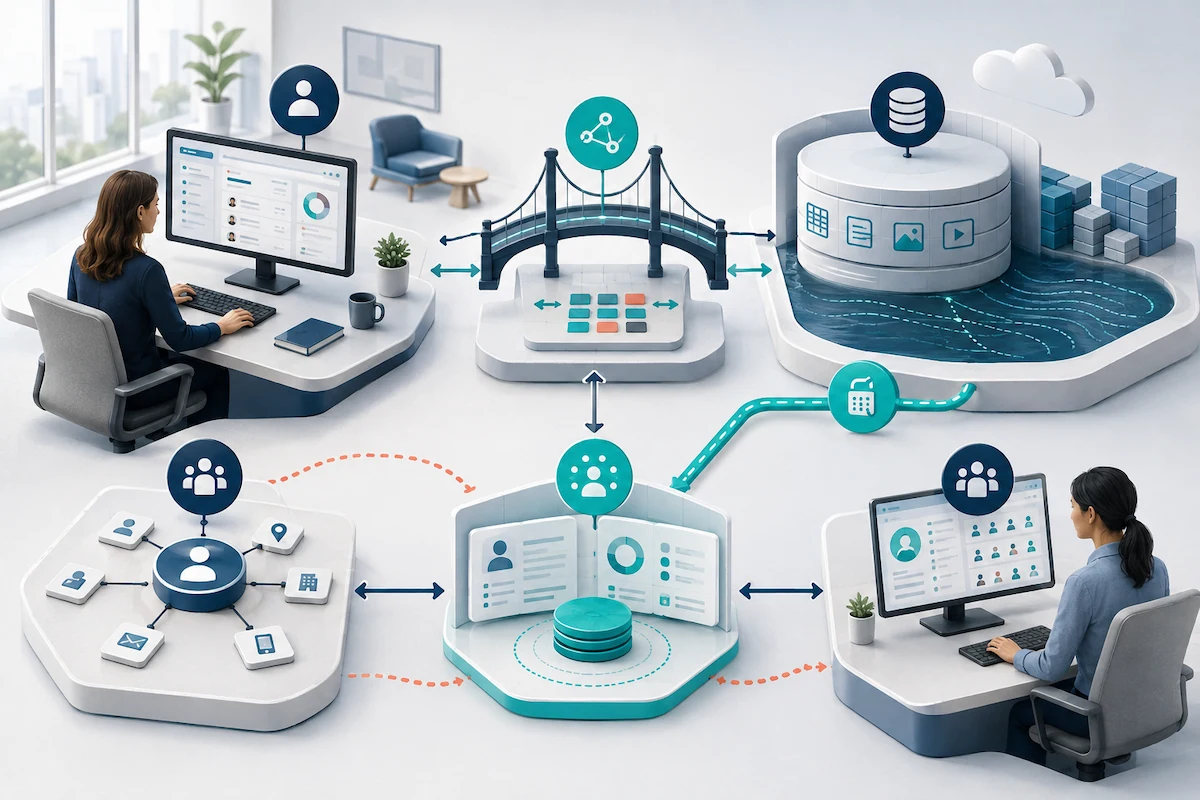
Do you need Salesforce Data 360 now?
If you plan to use Agentforce, the answer is yes. Salesforce requires Data 360 to be provisioned and enabled for Agentforce.
That doesn’t necessarily mean you need an extensive Data 360 implementation. As explained earlier, the agent’s job determines what additional information must be connected, organized, and governed.
An internal agent answering questions from approved documents may require limited additional data work. An agent supporting customer renewals, service interactions, or other cross-functional workflows may need current, trusted information from several systems.
In other words, Agentforce establishes the need for Data 360. The business use case determines the depth of implementation.
If Agentforce is not the immediate driver, the answer depends on the business problem you need to solve.
Data 360 is most valuable when a recurring, important decision or workflow is being held back because relevant information is scattered across systems. The case becomes stronger when teams need that information inside Salesforce soon enough to change what they decide or do.
What does that look like in practice?
Imagine a customer service team struggling with slow case resolution and frequent escalations.
Before responding, service representatives may need to search Salesforce, an order system, a product database, and a contract repository to understand what the customer purchased, whether the product is covered, and how the issue should be handled.
If the information in those systems is reliable but difficult to bring together, Data 360 could help make the relevant context available within the service workflow. Representatives could respond more quickly, cases could be routed using better information, and an Agentforce agent could assist within clearly defined boundaries.
But the answer changes if the source information is incomplete, product records are routinely wrong, or teams disagree about the service policy. Those are data quality, ownership, or process problems. Connecting the information through Data 360 would make it more accessible, but it would not make it correct.
The case for needing Data 360 is strongest when these conditions line up
- You plan to use Agentforce. Data 360 must be enabled for Agentforce. The scope beyond that depends on what the agent needs to know and do.
- The problem affects meaningful business results. Missing context contributes to lost renewals, slower service, poorly targeted campaigns, avoidable escalations, unreliable forecasts, or time-consuming reporting.
- The problem happens repeatedly. Teams regularly search across systems, reconcile conflicting records, or act without information they need. An occasional inconvenience is unlikely to justify a broader data initiative.
- The decision requires information from several systems. Salesforce contains part of the picture, but relevant product, billing, service, operational, behavioral, or contract information resides elsewhere.
- The information needs to improve work inside Salesforce or Agentforce. The goal is not simply to collect more data. Teams need the combined context to improve a decision, interaction, workflow, recommendation, or action.
- The organization can define what should improve. Leaders can identify the workflow, the people affected, the information they need, and the business result they expect to change.
When another step should come first
Even when Data 360 must be enabled for Agentforce, a broader implementation may not be the right next investment when:
- The use case only requires approved documents or a small number of reliable Salesforce records
- A report, Salesforce Flow, or targeted integration can solve the business problem
- Another platform already provides the necessary context effectively
- The source information is incomplete, inaccurate, or poorly maintained
- Teams have not agreed on the process, ownership, or trusted source
- The organization cannot identify a specific decision, workflow, or outcome it wants to improve
Where data quality is the underlying issue, Summit’s seven-factor AI readiness guide can help leaders identify what needs attention before expanding the technology.
Questions to take to your team
If Agentforce is the main reason you are considering Data 360, ask:
What valuable job do we want the agent to perform, and what current, trusted, and approved information does it need to perform that job reliably?
If you are evaluating Data 360 for a broader business need, ask:
Which recurring decision or workflow would improve if our teams had current, trusted information from multiple systems available inside Salesforce?
A specific answer gives the organization a credible starting point. Answers such as “better data,” “a complete customer view,” or “we want to use AI” are still too broad to guide the implementation or investment.
Once the business need is clear, you can determine whether Data 360 is the right next step, and what combination of Salesforce, data, integration, governance, and AI expertise the work will require.
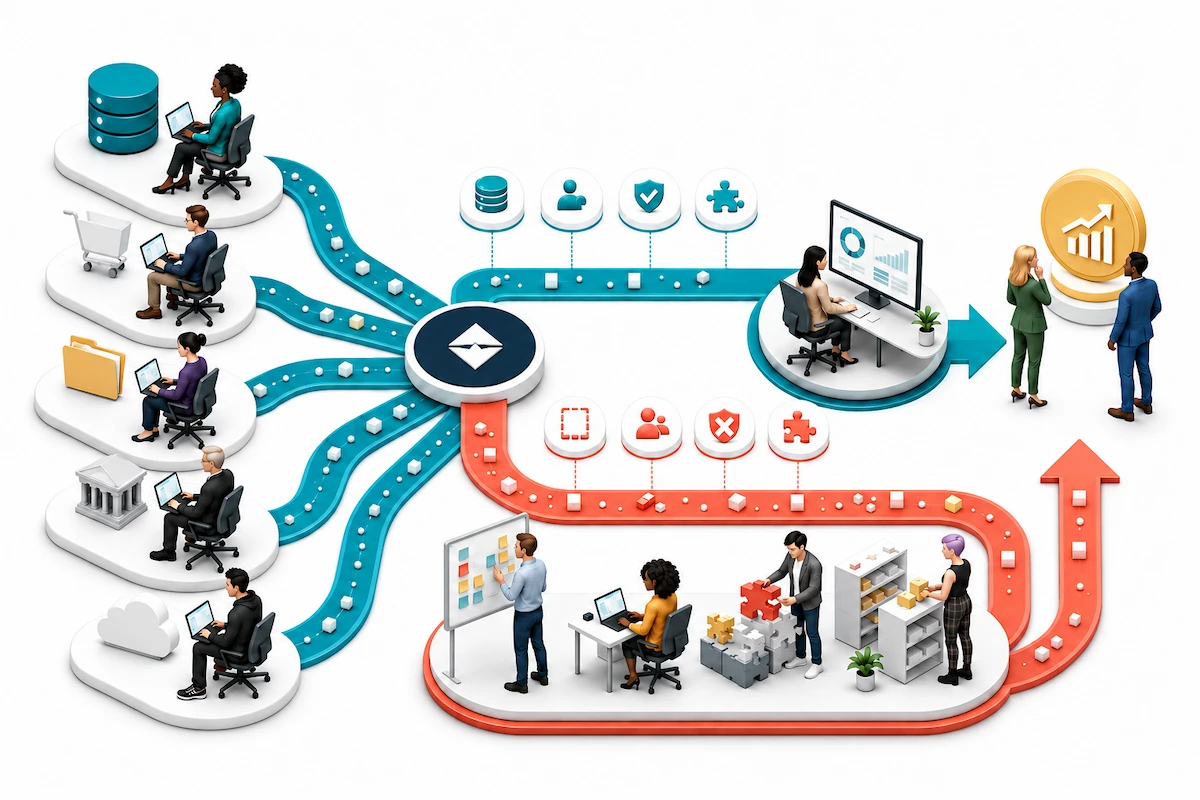
How Summit connects Salesforce Data 360 to the rest of your business
Data 360 is a Salesforce product, so strong Salesforce expertise is essential. But getting the most from it requires a much broader view.
The information Data 360 needs often lives beyond Salesforce: in ERP systems, finance platforms, product applications, service tools, data warehouses, cloud platforms, and legacy systems. The business outcomes it supports also cross systems, teams, and processes.
Therefore, a successful Data 360 initiative requires more than expertise around configuring the platform. Organizations may need to connect outside systems, improve data quality, agree on trusted sources, govern access, and turn the information into better decisions, workflows, analytics, and AI.
Summit combines deep Salesforce and Data 360 expertise with broader data, analytics, integration, governance, and AI capabilities. This allows us to leverage Data 360 as part of your wider data environment, not as a stand-alone Salesforce project.
Sometimes Data 360 should play a central role. In other cases, a targeted integration, data-quality improvement, governance decision, or analytics initiative needs to happen first or alongside it.
Summit helps you determine the right approach and carry it through from planning to implementation and ongoing improvement.
| If your organization needs to… | Summit can help you… |
|---|---|
| Define the right role for Data 360 | Connect the business case, required information, Salesforce strategy, and wider data environment through Data, Analytics, and AI Advisory and Salesforce Platform Strategy and Roadmap services. |
| Determine whether the data can support the use case | Use our Data Health Check & Optimization service to identify quality problems, duplicate records, metadata and lineage gaps, security concerns, and governance issues that could limit Data 360, analytics, or AI. |
| Connect Data 360 with other business systems | Bring together relevant information from CRM, ERP, finance, product, cloud, application, and legacy systems through Data Integration & Platform Modernization. |
| Turn connected data into insight and action | Make trusted information useful through Analytics & Business Intelligence solutions, Salesforce workflows, predictive insights, Agentforce, and broader AI Solutions & Model Development. |
| Keep the environment reliable after launch | Monitor and improve integrations, data pipelines, analytics, AI solutions, governance, and platform performance through Managed Data & AI Services. |
This connected expertise matters because Data 360 doesn’t create value in isolation. Its value comes from helping employees, leaders, workflows, and AI use better information at the right time.
With Summit, you don’t need one partner to advise on Salesforce, another to connect the data, and another to make the resulting information useful. We can help you define the business case, prepare and connect the data, implement Data 360, extend it through analytics and AI, and improve the environment as your needs change.
Not sure whether your next step should be Data 360, a focused integration, a data health check, or a broader data and AI roadmap? That is exactly what the first conversation should help you determine.
Bring us the business result you want to improve and the systems involved. Summit will help you identify the right starting point, define a practical path forward, and connect the work to measurable value.
Talk with Summit about your Data 360, data, analytics, or AI initiative.
The bottom line on Salesforce Data 360
Fragmented customer data isn't just a data problem. It leads to missed opportunities, slower service, wasted effort, conflicting reports, and AI that doesn’t have enough reliable information to do its job well.
Salesforce Data 360 helps change how that plays out across the business:
- Sales teams can recognize opportunities and risks sooner.
- Service teams can resolve issues faster without making customers repeat information the organization already has.
- Marketing teams can reach the right audiences with greater relevance and less waste.
- Leaders can see customer patterns, performance, and risks across the customer lifecycle more clearly.
- Agentforce and other AI solutions can work with information that is current, reliable, and approved for the task.
- Teams across the business can spend less time searching for information, reconciling records, correcting mistakes, and managing disconnected handoffs.
The result is a more responsive business: one that serves customers better, protects and grows revenue, operates more efficiently, and puts AI to work with greater confidence.
Frequently Asked Questions About Data 360
What is Salesforce Data 360?
Salesforce Data 360, formerly Data Cloud, is the data platform native to Salesforce. It connects and unifies structured and unstructured information from Salesforce and external systems, then makes it available to Salesforce applications, analytics, automation, and Agentforce. With supported Zero Copy connections, Data 360 can also access selected data where it already lives instead of requiring another stored copy in Salesforce.